From April to August 2026 the Dolphin{cloud} team shipped 8 releases. Some of them change how you work with Facebook itself: the system user token arrived, and an upload can now be edited and launched again after it has run. The rest removes manual work that used to send you to Ads Manager.
Below is everything grouped by topic, with links to detailed guides.
At a glance
| Change | Release | Where to find it |
|---|---|---|
| Bulk creative changes (Pro) | 06.04 | “Ads”, select several ads |
| Multilingual bundles | 24.04 | “Create ads” → “Bundles” → the “Ads” step |
| System user token | 25.05 | “Accounts” → “Add account” → “Token type” |
| Postback split and CPA | 21.05 | Tracker → “Conversion”, column settings |
| Carousel uploads | 09.07 | Upload wizard, “Creatives” step, Carousel toggle |
| X → 1 creative distribution | 28.07 | Upload wizard, “Creatives” step, Ad → Adset switch |
| Edit and re-upload | 28.07 | “Upload jobs”, “Actions” column |
| Notes on every level | 24.08 | Any Ads Manager table |
System user token
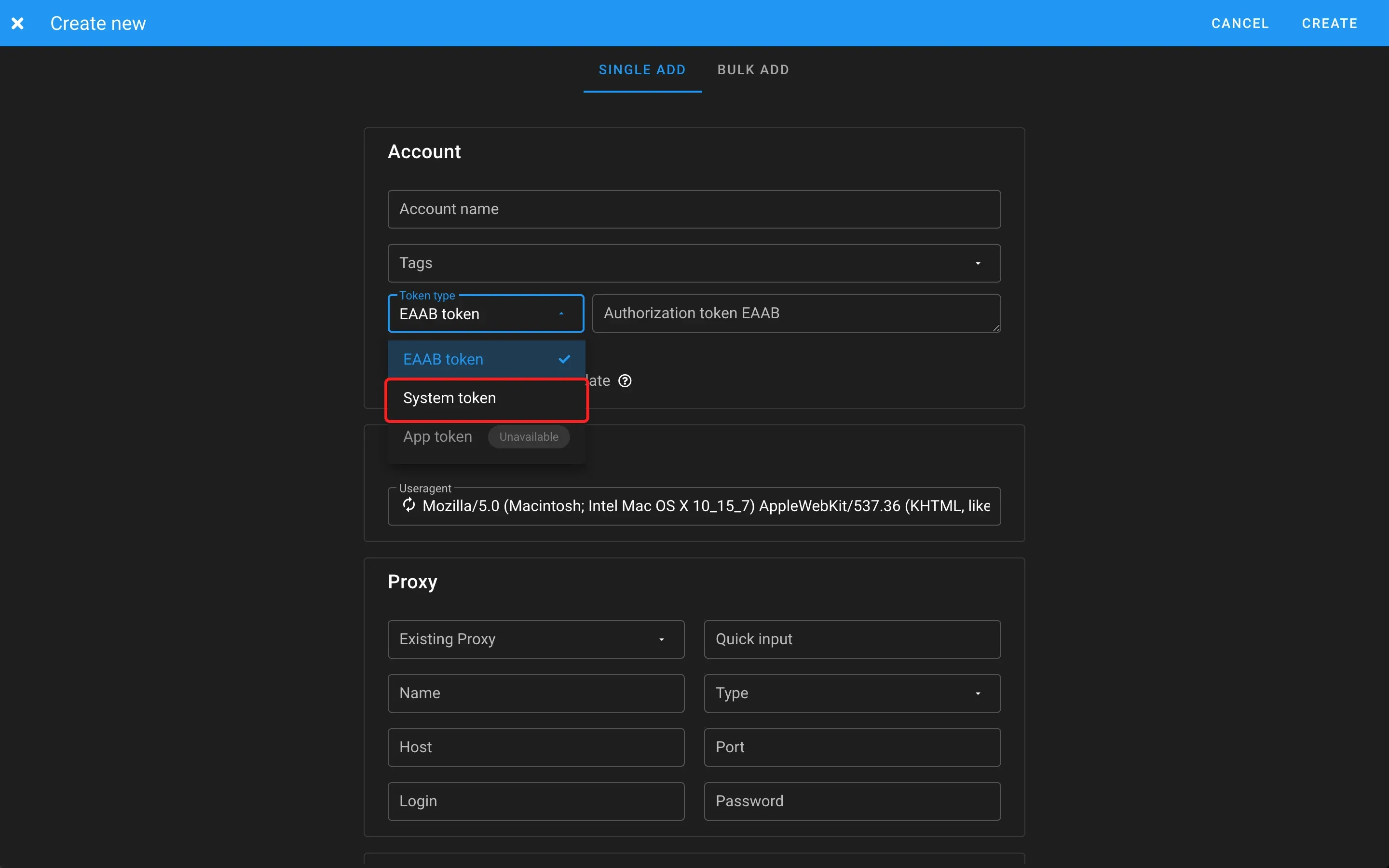
This is the biggest change of the half-year. Dolphin{cloud} used to work only with an account’s user token. Since release 25.05 the add account window lets you pick the “System token” type and connect a system user of your Business Manager.
A system user is the official way Meta provides for server integrations. You issue the token in your own Meta for Developers app, give the system user access to the Business Manager assets you need (ad accounts, Pages, pixels) and work with them through the Marketing API.
How to add such a token:
- Create an app in Meta for Developers and choose the use cases related to ads and insights. Pick your Business Manager at the same step.
- Add a privacy policy link and publish the app.
- In the Business Manager open “System users”, create a user, grant permissions and assign the assets.
- Generate the token and save it right away: Meta shows it only once.
- In Dolphin{cloud}: “Accounts” → “Add account” → “Single add”, choose “System token” in “Token type”, paste the token and set the user agent and proxy. Cookies are not needed.
Some Marketing API actions are not available to a system user: creating Pages and their bio, spending limits, adding a card, switching to prepaid, Risk Payment confirmation. Do these through your main account. The full walkthrough is in the guide on preparing accounts for uploads.
Uploads: fewer reasons to open Ads Manager
X → 1 creative distribution
There used to be 2 options: all ads in one ad set or one ad per ad set. Since release 28.07 the “Creatives” step has an Ad → Adset switch with an “X → 1” mode: you set the number X and the service puts X creatives in each ad set, going round the list. It works for regular, Flex, language and carousel uploads. Distribution examples are in the guide on setups and X → 1.
Edit and re-upload
A finished upload can now be opened in “Upload jobs”, switched to another account, ad account, Page, pixel or link parameters and launched again. You do not upload creatives and links again. The same release added search by ID in the ad account, Page and pixel fields. How to use it: Carousel, X → 1 and re-uploads.
Carousel uploads
Since release 09.07 the upload wizard has a Carousel toggle. Cards inside one ad can be managed like separate ads, each with its own creative, text, link and deep link. No more building carousels by hand in Facebook.
Multilingual bundles
Since release 24.04 languages are set in the bundle itself and come with every upload, together with headlines, texts, descriptions and deep links. The language order stays exactly as you set it. Step by step: Multilingual bundles.
Smaller upload improvements
- 30.04: upload with campaigns switched off, a switch in the advanced settings when you choose a bundle.
- 30.04: the wizard remembers the Custom campaign name, URL params and Display URL switches.
- 24.04: the ad account ID is shown in the upload lists and in “Upload jobs”, and the browser warns about unsaved changes when you reload the page.
- 09.07: geo lists refresh on their own, the service requests missing values from Facebook.
- 09.07: a “Show archived entities” filter in “Upload bundle”, archived ad accounts are hidden by default.
- 28.07: Flex works the way Facebook does: if the ad account supports Dynamic Creative, the upload goes with that switch on.
Ads and ad accounts
Bulk creative changes
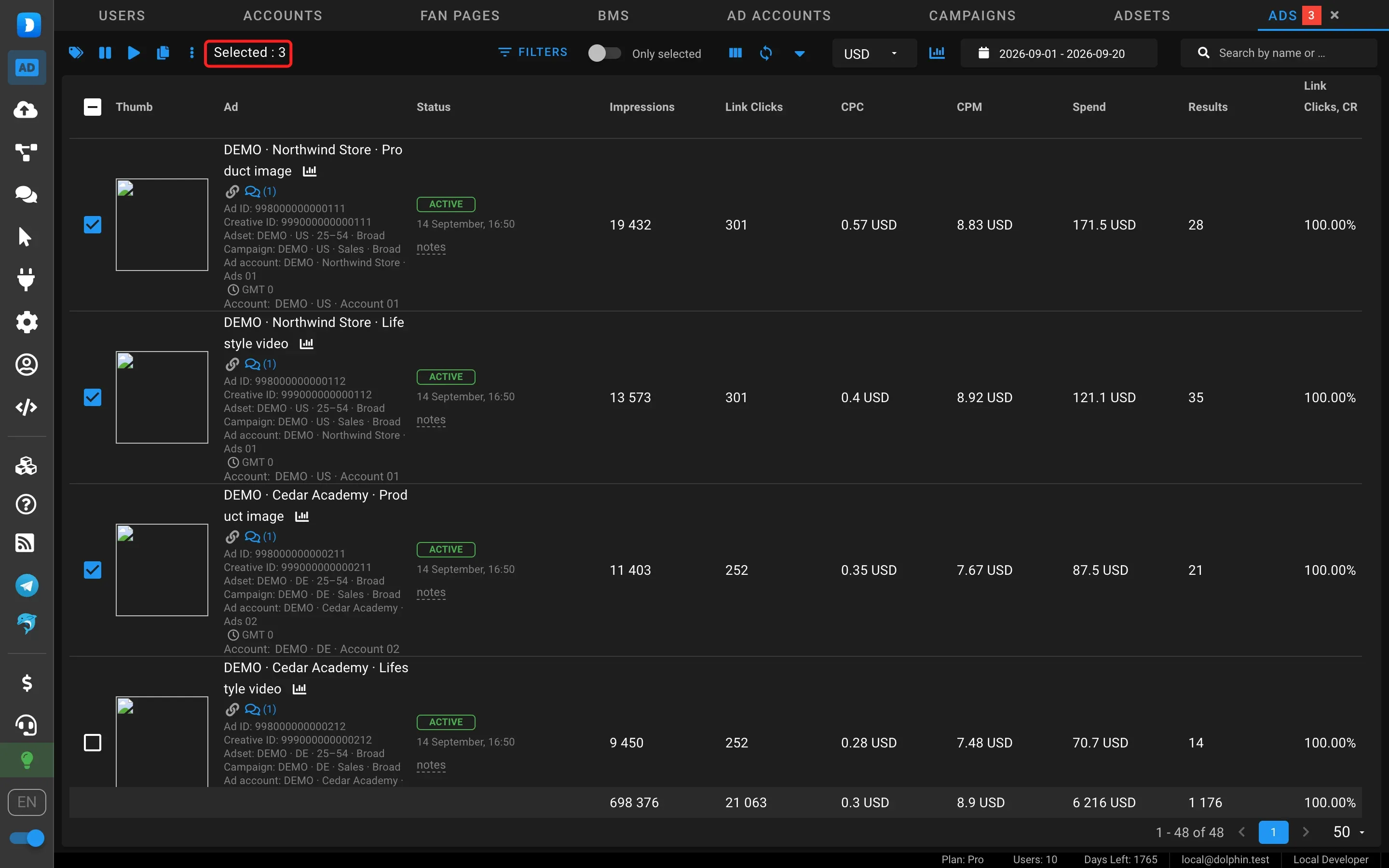
Since release 06.04 you can select several ads in “Ads” and change their creatives, texts, links, deep links, link parameters and descriptions in one action. Available on the Pro plan.
Filters and notes
- 06.04: the “Only selected” switch arrived on the “Accounts” level, as it was in “Ad accounts”.
- 24.04: a “With active campaigns” filter on the “Ad accounts” level.
- 28.07: a pixel filter in “Ad accounts”.
- 24.08: notes on every level can be colored, formatted and collapsed when long.
Statistics and postbacks
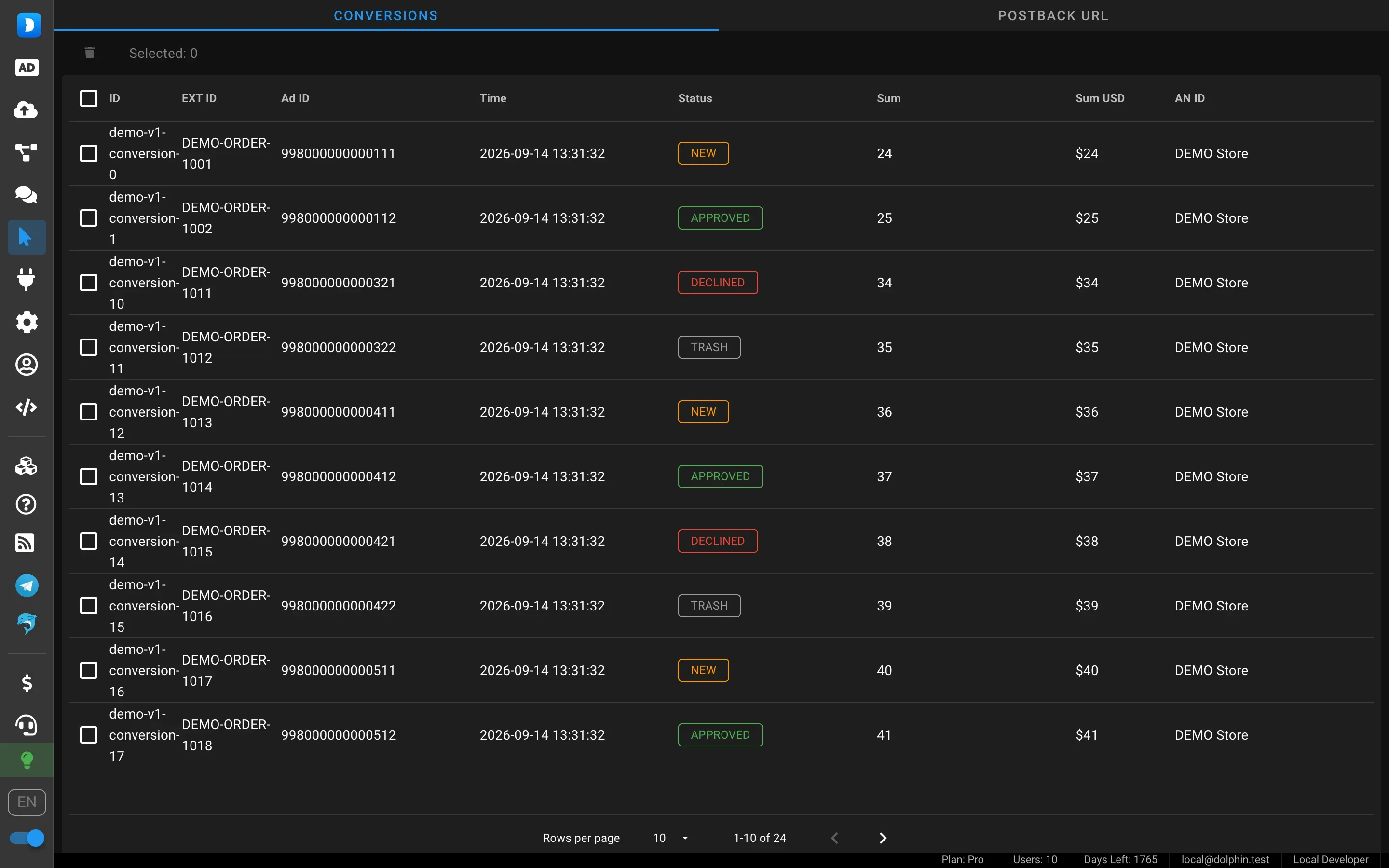
Since release 21.05 postbacks are split into 2 conversion types: status NEW counts as a registration and APPROVED as a purchase. Each type has its own columns and CPA, so the cost of a registration and a deposit is visible right in the service. The same release added campaign, ad set and ad IDs to exports.
How to connect postbacks to a tracker and send costs to Keitaro or Binom is covered in the guide on sending costs to a tracker.
Subscription
Since release 09.07 the service warns in advance that your plan is ending and shows the date, so uploads do not stop unexpectedly.
FAQ
What is a system user token in Dolphin{cloud}?
It is the token of a system user in your Business Manager, issued through your own Meta for Developers app. It gives access to the Business Manager assets through the official Marketing API. In Dolphin{cloud} you add it via “Accounts” → “Add account” with the “System token” type.
Can I change the ad account of an upload that has already run?
Yes. Since release 28.07 an upload opens in “Upload jobs” via “Edit and re-upload” in the “Actions” column. You can change the account, ad account, Page, pixel or link parameters and launch the upload again without uploading creatives again.
Which plan has bulk creative changes?
The Pro plan. On other plans ads are changed one by one.
Where are the autumn 2026 changes?
In What is new in Dolphin{cloud} in autumn 2026: the team upload queue, creatives for languages and the time zone filter.
Summary
Over spring and summer Dolphin{cloud} covered almost every task that used to require Ads Manager: carousels, creative distribution, editing a finished upload and working through the official API. Sign up for Dolphin{cloud} and try the new features on your own ad accounts.